Public Beta · Free while in Beta
An AI executor for every project. People stay in charge.
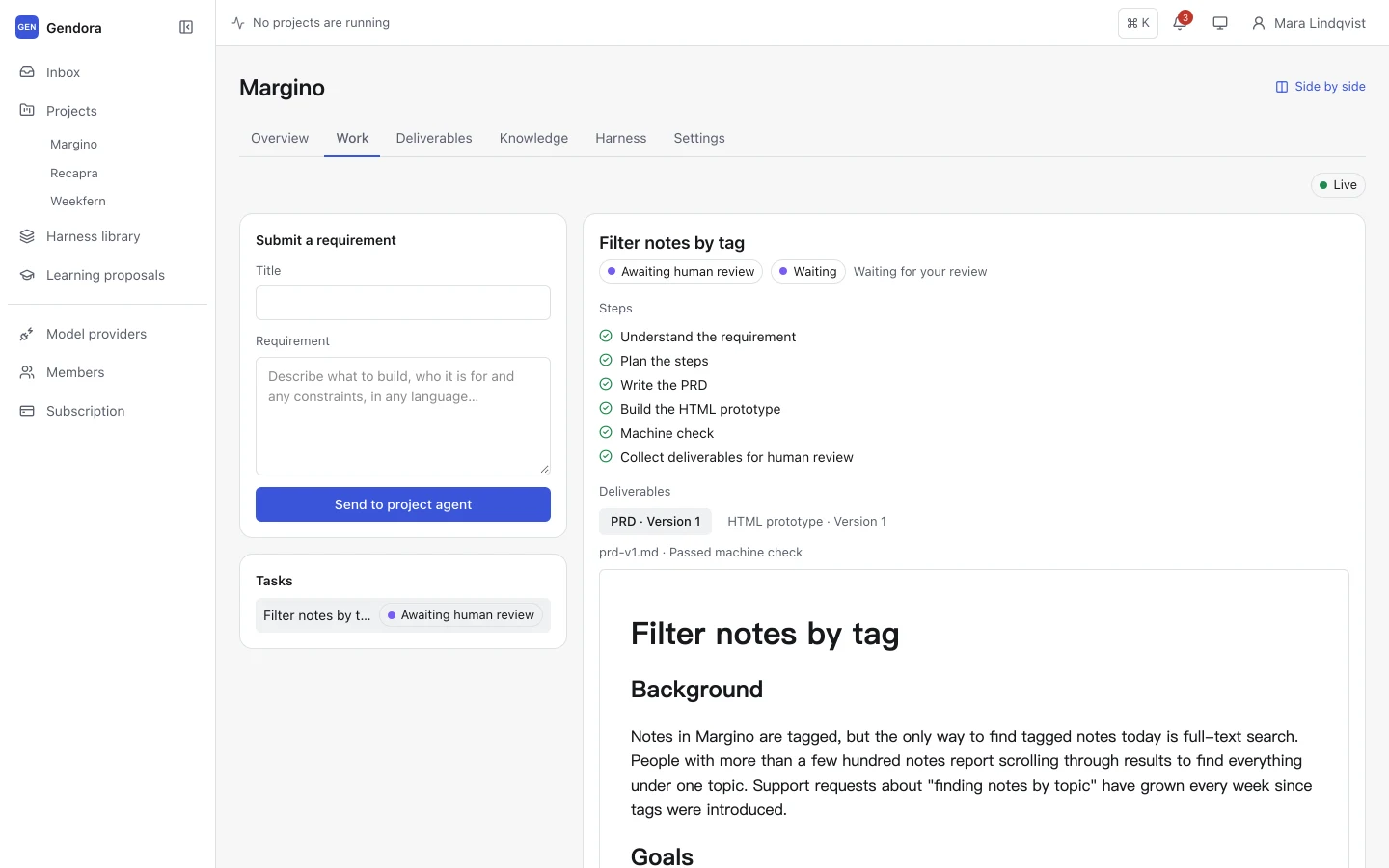
Submit a requirement and the project agent plans the work, writes a PRD and an interactive prototype, and checks them before they reach you. Nothing is done until a person approves it, and every deliverable keeps its versions, source and review history.
Free during Beta · No credit card required
Works with your models
- OpenAI
- Anthropic
- Ollama
- OpenAI-compatible
How it works
From a one-line request to reviewed deliverables
The same four steps run for every requirement, in every project.
- 01
Submit a requirement
Describe what to build in a sentence or a page, in any language. The project agent takes it from there.
- 02
The agent plans and produces
It follows the project’s Harness: understand, plan, write the PRD, build an HTML prototype. You can watch every step live.
- 03
Machine checks first
Structure, required sections and boundaries are checked automatically. Failed checks send the work back for revision.
- 04
You review and decide
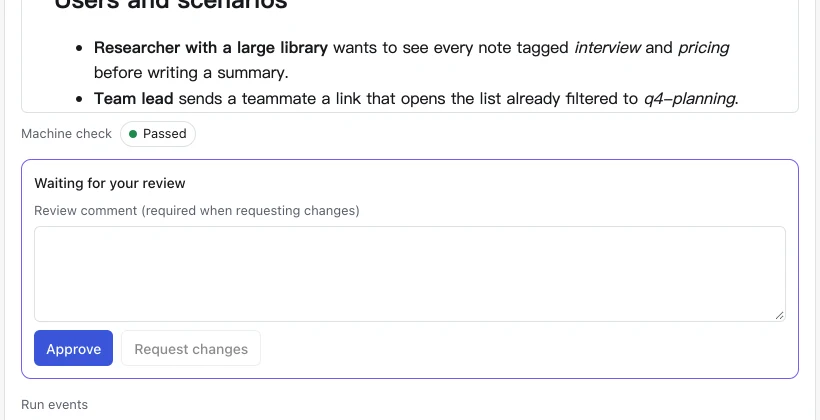
Approve, or request changes with a comment. Only a person can mark the work complete.
Multi-project workbench
Every project on one screen
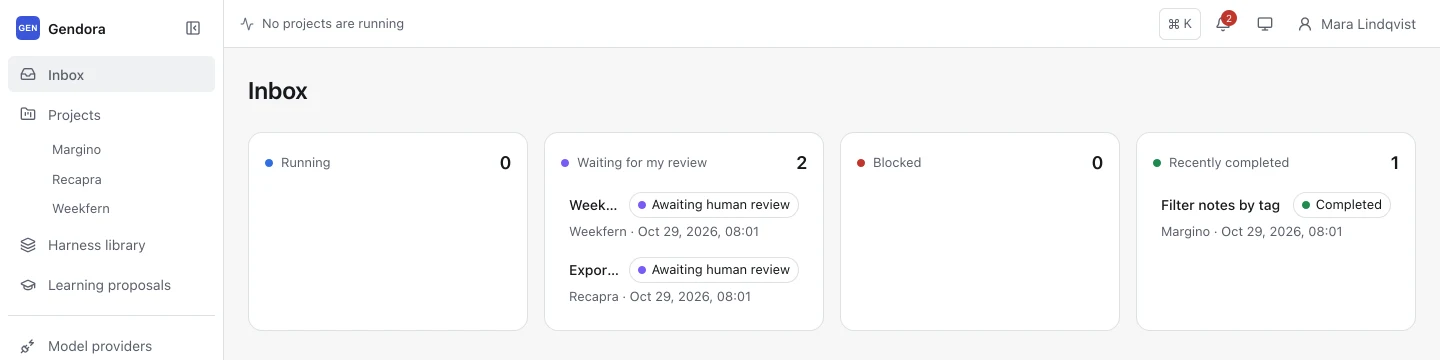
The inbox gathers runs, reviews and blockers from all of your projects. The run bar shows which agents are working right now, so you can switch to whatever needs you.
- Inbox grouped by Running, Waiting for my review, Blocked and Recently completed
- Side-by-side view to follow two projects at once
- Command palette (⌘K) and a notification centre
Project agent
A persistent agent that writes the PRD and the prototype
Each project has its own agent, knowledge and deliverables. It produces a structured PRD and a clickable HTML prototype, and writes them in the language of your requirement.
- Plans steps and reports progress as it goes
- Searches project knowledge and reads project files when it needs context
- Pause, resume or cancel a run at any time
Review and traceability
Machine checks first, your decision last
Work reaches you only after it passes its machine checks. You approve it or request changes with a comment, and the agent revises from your feedback.
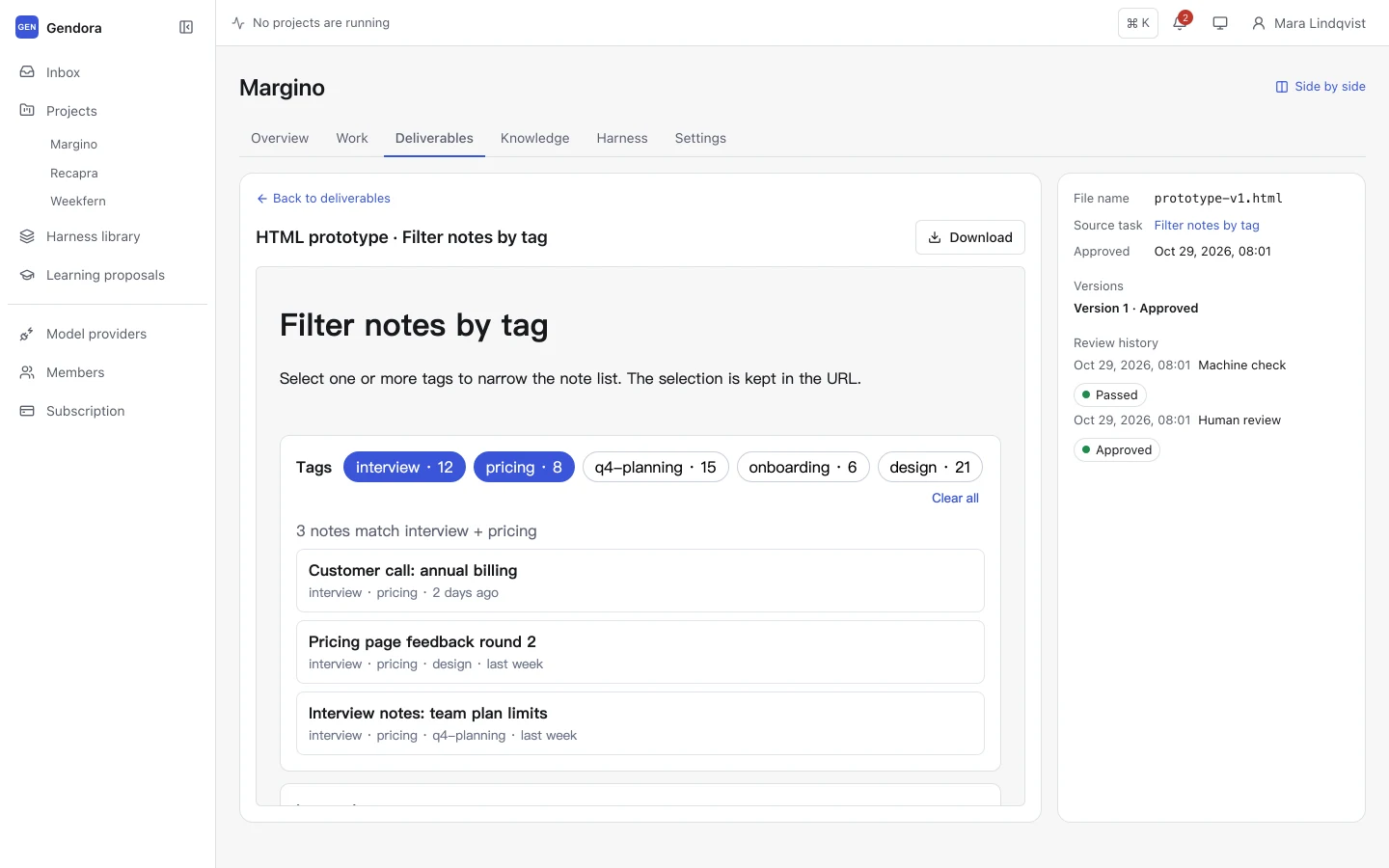
- Every version, source task, check result and review is kept
- Approved deliverables are organised by approval date
- Prototypes preview in a sandbox and can be downloaded
Bring your own models
Your providers, your keys, a model for each role
Connect OpenAI, Anthropic, an OpenAI-compatible endpoint or Ollama. Gendora fetches the available models, and you choose one per role: intake, PRD, prototype, implementation and checks.
- Model usage is billed to your own provider account
- API keys are encrypted at rest and only ever shown masked
- Roles without their own model fall back to the main model
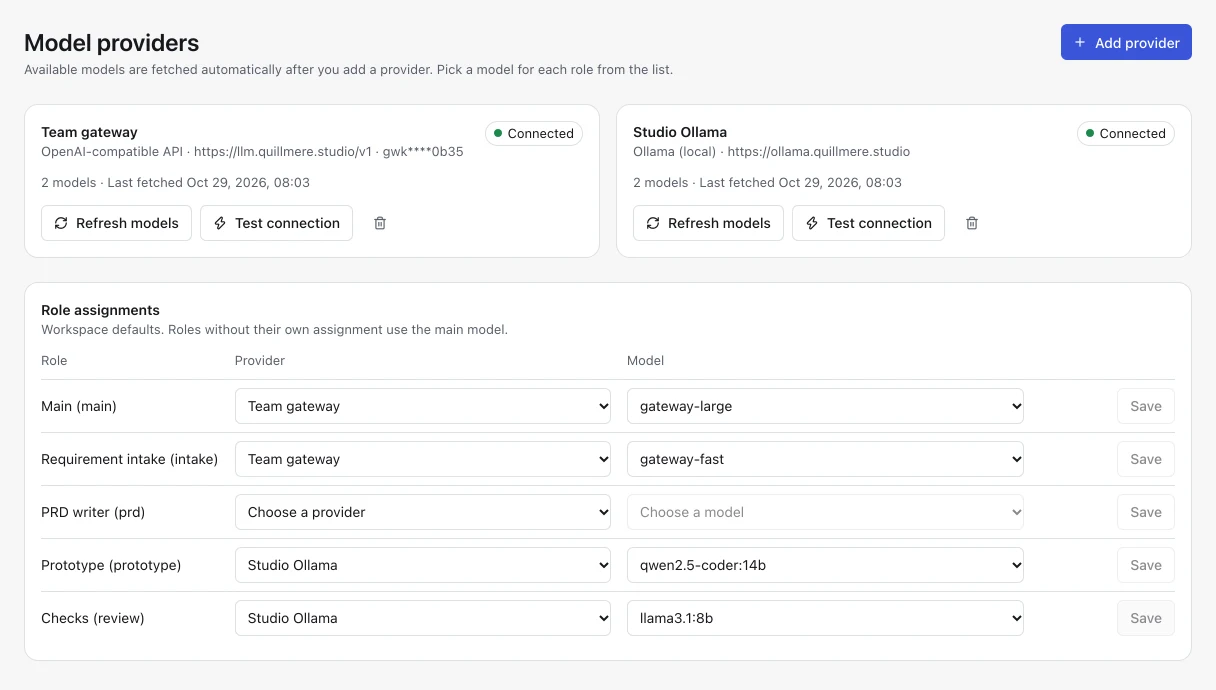
Screenshots show a sample workspace.
Harness and learning
Your rules, packaged. Improvements, approved.
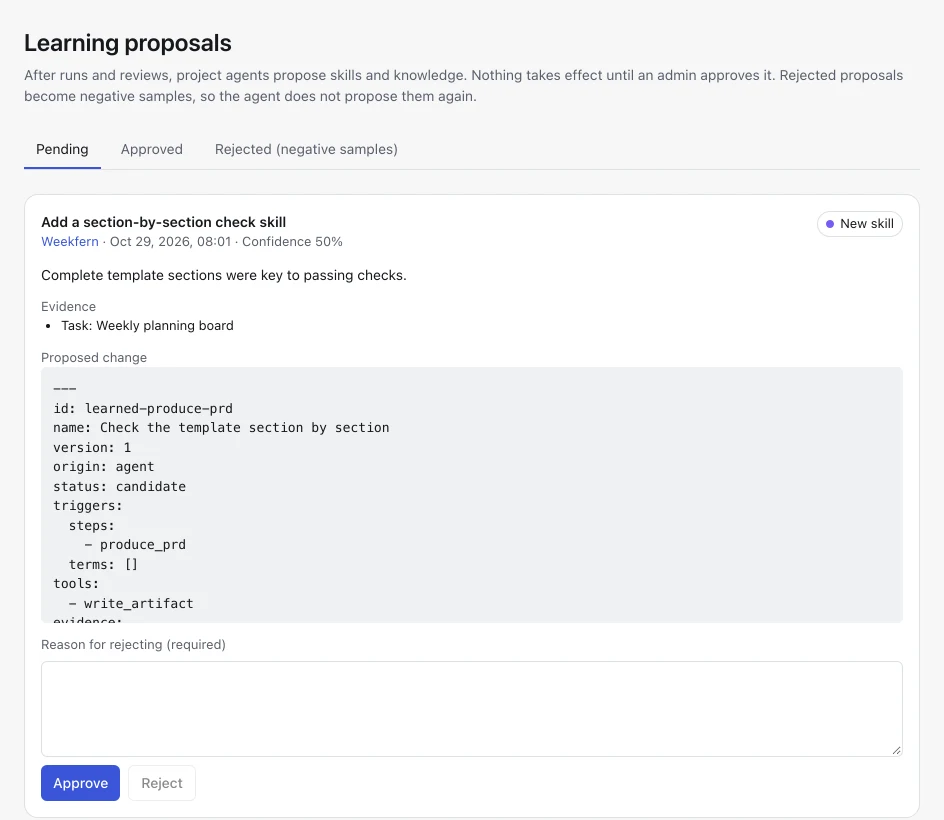
A Harness bundles the roles, workflow steps, rules, skills and templates the agent follows. It learns from every run, but nothing changes until someone approves it.
-
Built-in
Four starting points: product requirements, implementation delivery, game delivery and research & knowledge.
-
Organization
Extend a built-in Harness with your team’s rules, skills and templates, edited file by file.
-
Project
Fine-tune a single project: switch rules and skills on or off, add skills and choose model tiers.
The learning loop
- 1 After a run or a review, the agent reflects on what worked
- 2 It proposes project knowledge or a new skill, with evidence
- 3 An admin approves or rejects it; rejections become negative samples
Security and privacy
Built to keep your work and keys private
-
Isolated workspaces
Every query is scoped to your organization. Other workspaces cannot see that your data exists.
-
Encrypted keys
Provider API keys are encrypted with AES-256-GCM and only ever displayed masked.
-
Sandboxed previews
Prototypes run in a sandboxed frame with no access to your session or the workbench.
-
No content in logs
Logs never contain prompts, model responses, deliverables, keys or session tokens.
Pricing
Free during Beta
Every feature is included while Gendora is in Beta. You pay your model provider directly for the tokens you use, and there is no payment method to enter.
Gendora for macOS
The desktop app opens your workbench in its own window, with the same account and data as the web. Sign in once and it stays signed in; it never stores your password.
For Apple silicon and Intel Macs, macOS 12 or later.
The app is not yet signed by Apple. The first time you open it, right-click Gendora in Applications and choose Open.
Coming soon
Frequently asked questions
What does the project agent actually produce?
With the default Harness it produces a PRD and an interactive HTML prototype for each requirement. Other built-in Harnesses produce implementation plans and code drafts with tests, game briefs and release checklists, or research reports and knowledge entries.
Which model providers can I use?
OpenAI, Anthropic, any OpenAI-compatible endpoint, and Ollama. On the hosted service the endpoint must be reachable over the internet; private network addresses are blocked.
Who pays for model usage?
You do, directly to your provider, using your own API key. Gendora itself is free during Beta.
Can the agent finish work without me?
No. Machine checks only decide whether work is ready for review. Only a person can approve it and mark it complete.
Can I work with my team?
Yes. Add teammates to your workspace by account name as owner, admin or member. Members can switch between workspaces from the sidebar.
What language does it work in?
Write requirements in any language. The agent answers and writes deliverables in the language you used.
Do you use my content to train models?
No. We do not sell your information or use your content to train models. Content is sent only to the model provider you configure.
Give your next project an agent that follows your rules
Sign up with any account name and a password, connect a model provider and submit your first requirement in a few minutes.
Free during Beta · No credit card required