Product tour
One requirement, from request to approved deliverable
Follow a single task through Gendora. Every step below is what you will see in the product today.
-
1 Step 1
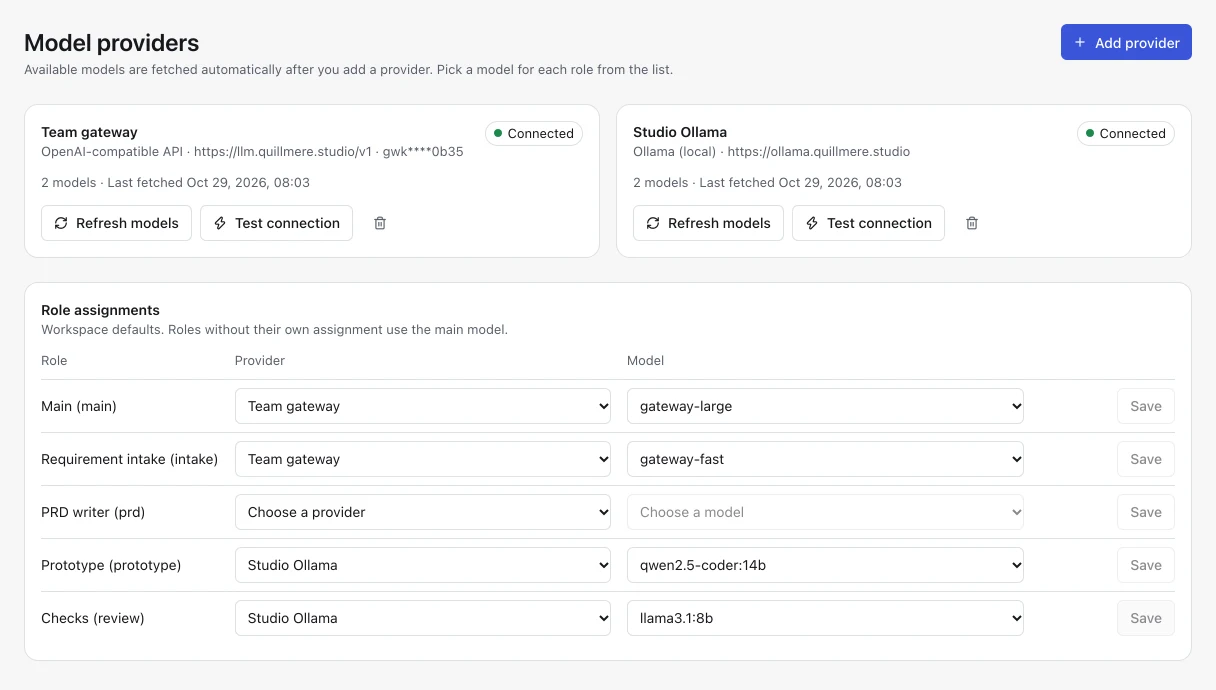
Connect a model provider
Add OpenAI, Anthropic, an OpenAI-compatible endpoint or Ollama under Model providers. Gendora fetches the available models; pick one for the main role, and optionally different models for intake, PRD, prototype, implementation and checks.
-
2 Step 2
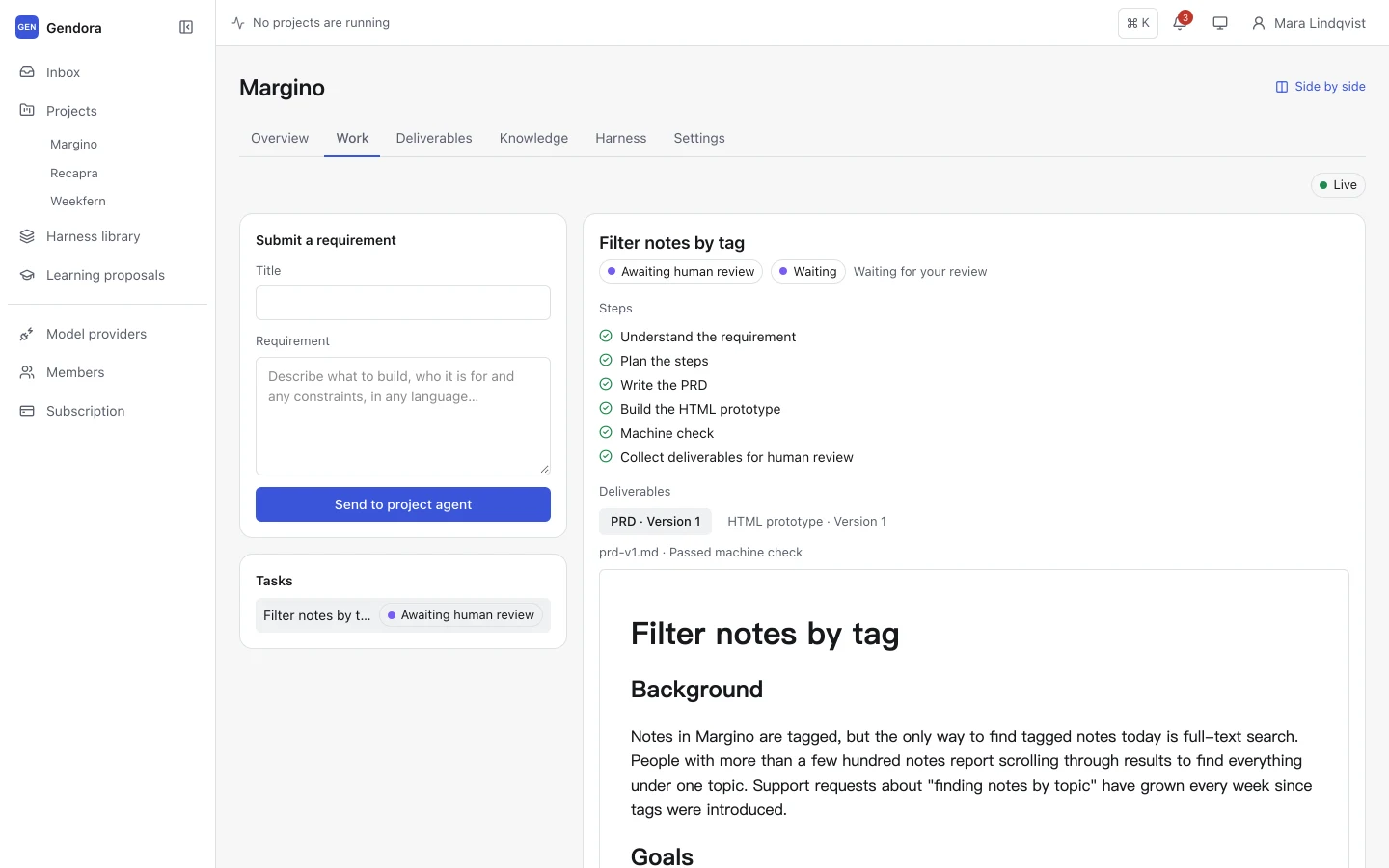
Create a project and submit a requirement
Each project has its own agent, knowledge and deliverables. On the Work tab, give the requirement a title and describe what to build, in any language, then send it to the project agent.
-
3 Step 3
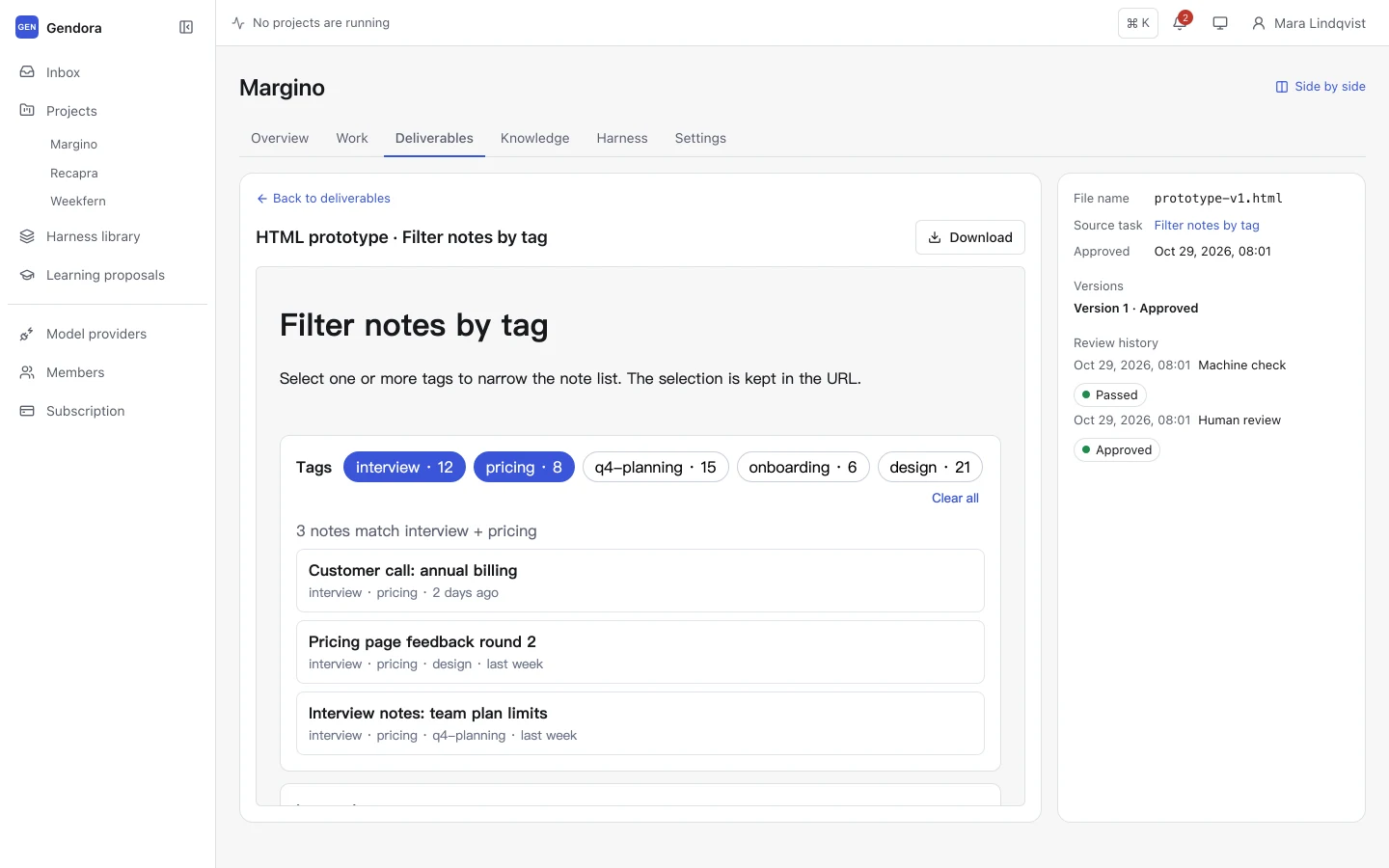
The agent plans and produces
Following the project’s Harness, the agent understands the requirement, plans the steps and writes the deliverables: a PRD and an interactive HTML prototype with the default Harness. Each step and model call appears in the live event feed.
-
4 Step 4
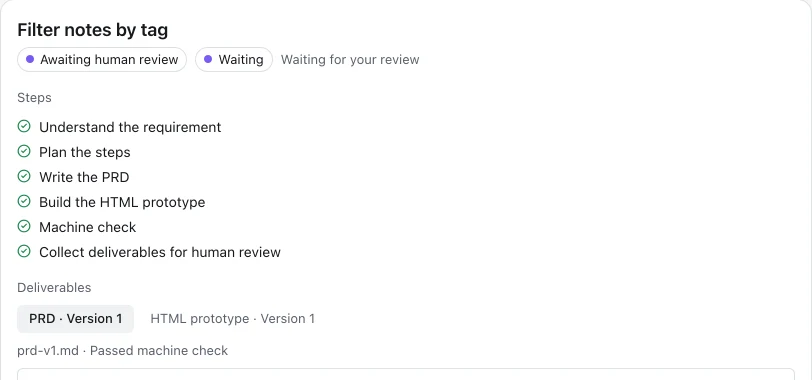
Machine checks run first
Before anything reaches you, the deliverables are checked for structure, required sections and boundaries. If a check fails, the agent revises the work from the check results and tries again.
-
5 Step 5
You review and decide
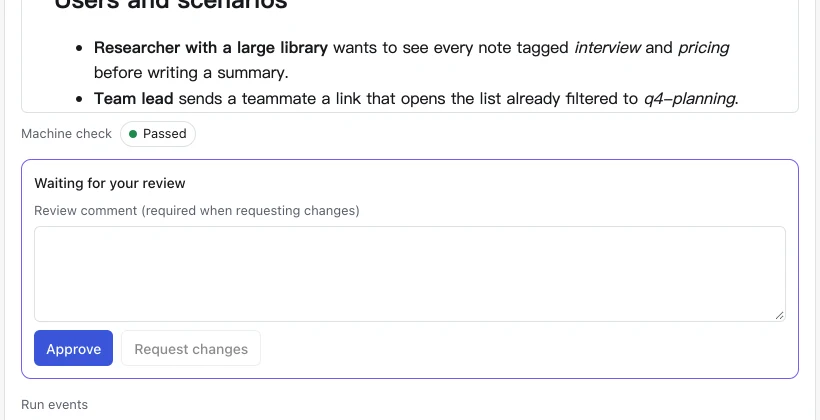
The task moves to Waiting for my review. Read the deliverables, then approve them or request changes with a comment. The agent revises from your comment; only your approval completes the task.
-
6 Step 6
Deliverables are kept with their history
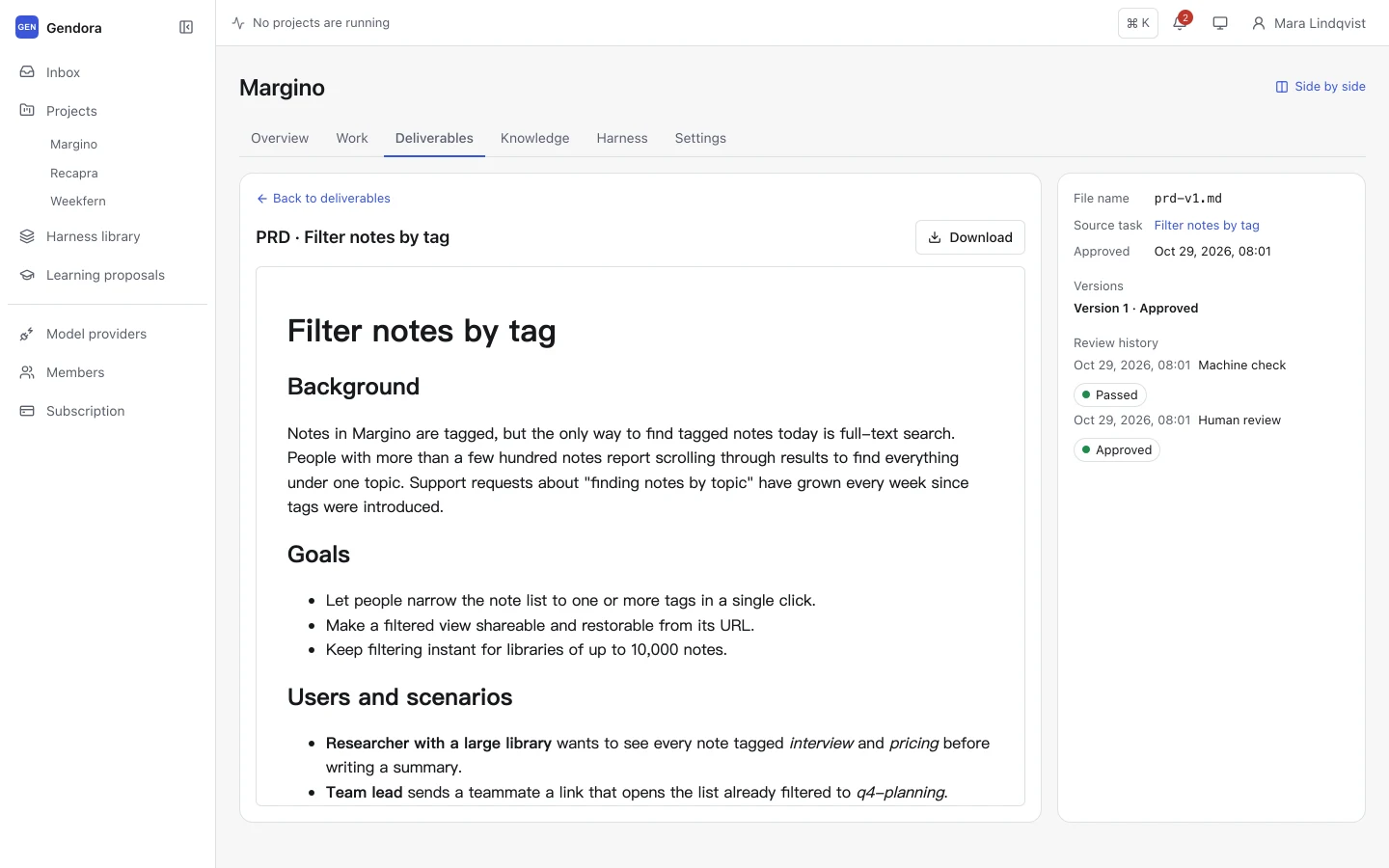
Approved work appears in the project’s deliverable library, organised by approval date. Each deliverable keeps its versions, source task, check results and review record, and can be downloaded.
-
7 Step 7
The agent proposes what it learned
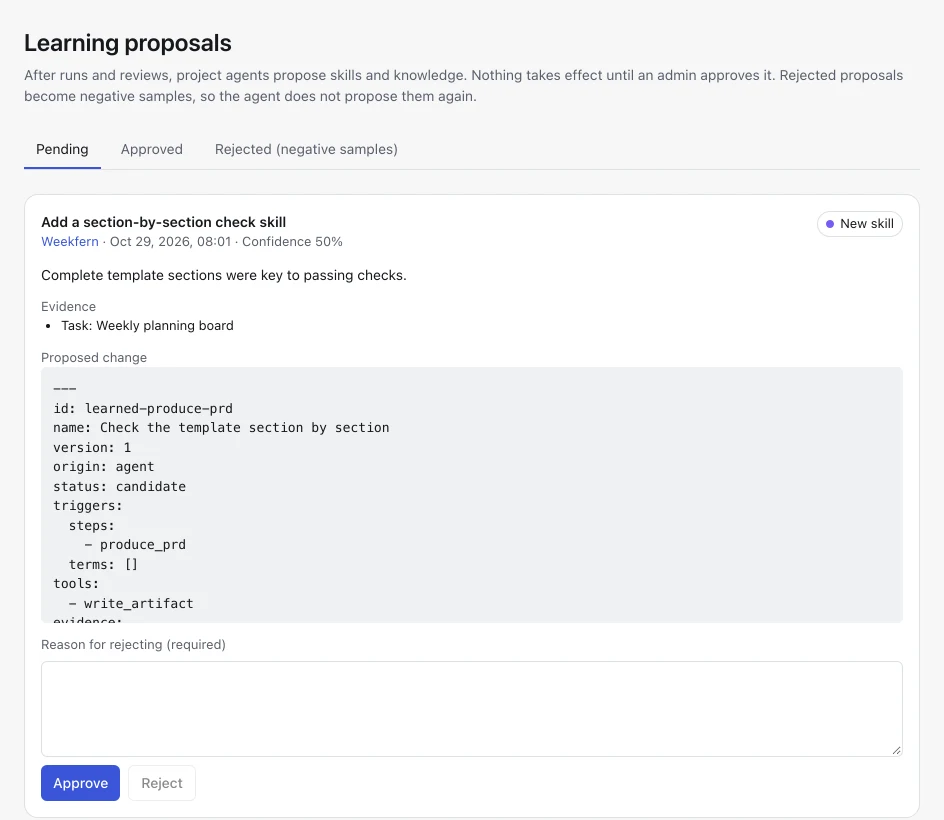
After the run and your review, the agent reflects on what worked and proposes project knowledge or new skills, each with evidence. An admin approves or rejects them in the Learning proposals inbox.
-
8 Step 8
Run many projects in parallel
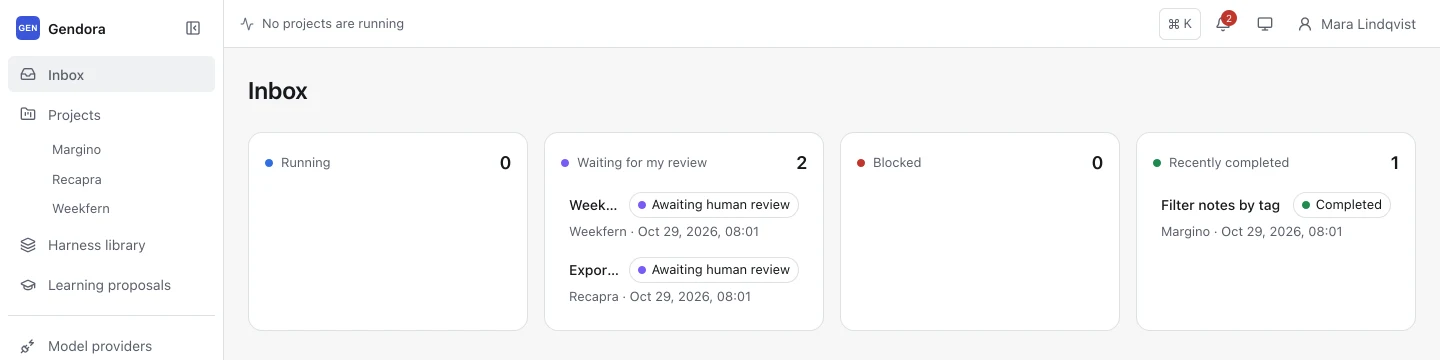
Repeat across as many projects as you like. The inbox and run bar show what every agent is doing, and the side-by-side view lets you follow two projects at once.
Screenshots show a sample workspace.
Give your next project an agent that follows your rules
Sign up with any account name and a password, connect a model provider and submit your first requirement in a few minutes.
Free during Beta · No credit card required