Features
Everything you need to run projects with an AI executor
Gendora is built around projects and deliverables, not around chat. Here is what it does today.
Multi-project workbench
A workbench for many projects at once
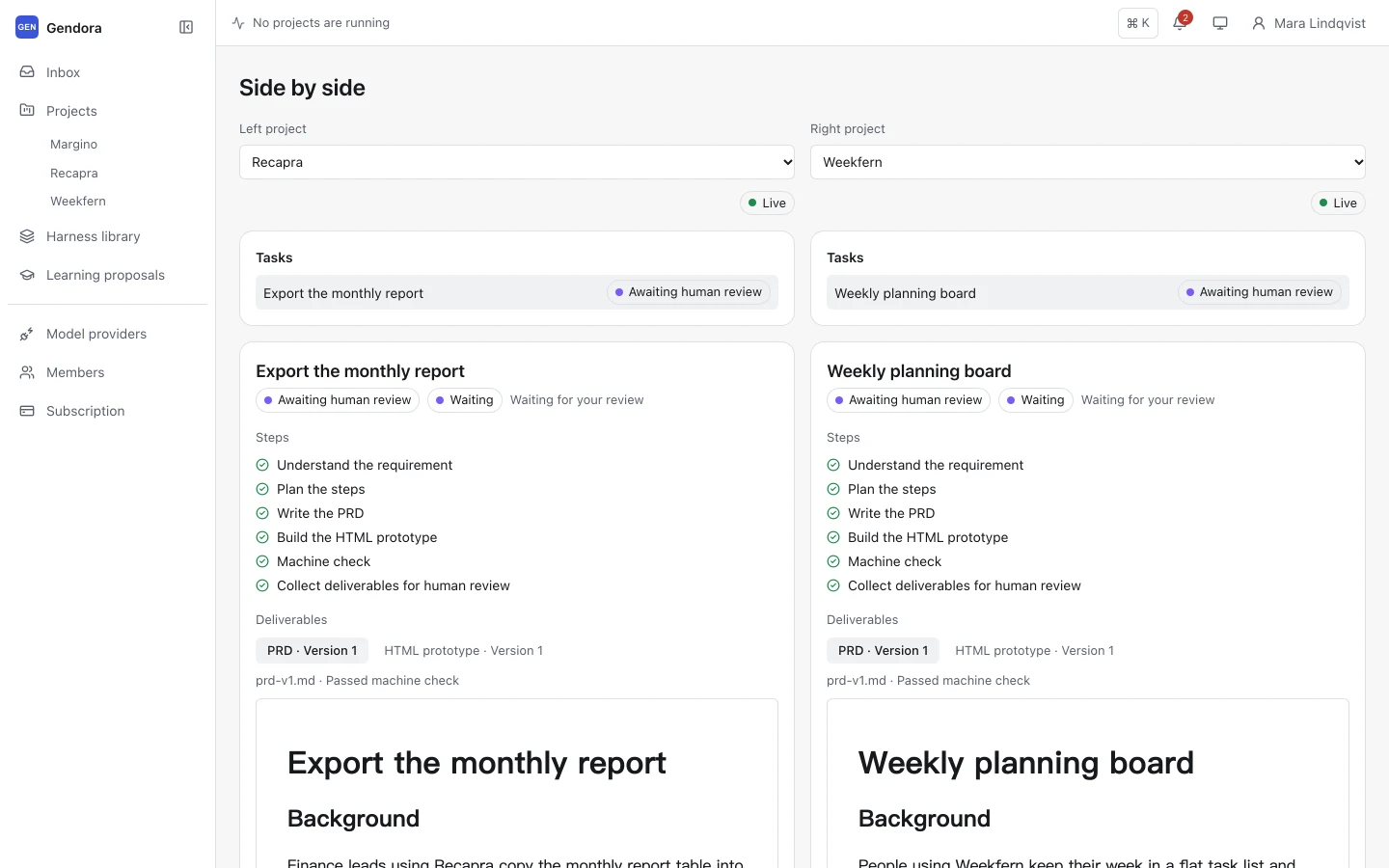
Most work does not happen one project at a time. Gendora’s inbox gathers the runs, reviews and blockers from every project in your workspace, so you always know what is waiting for you.
The run bar at the top of every page shows which project agents are working right now. Jump to one with a click, or open two projects side by side to compare their progress.
- Inbox grouped by Running, Waiting for my review, Blocked and Recently completed
- Always-visible run bar with live status for each running agent
- Side-by-side view for two projects
- Command palette (⌘K) to jump to any project or page
- Notification centre for reviews and blockers
- Workspace switcher for teams with several workspaces
Project agent
A persistent agent for each project
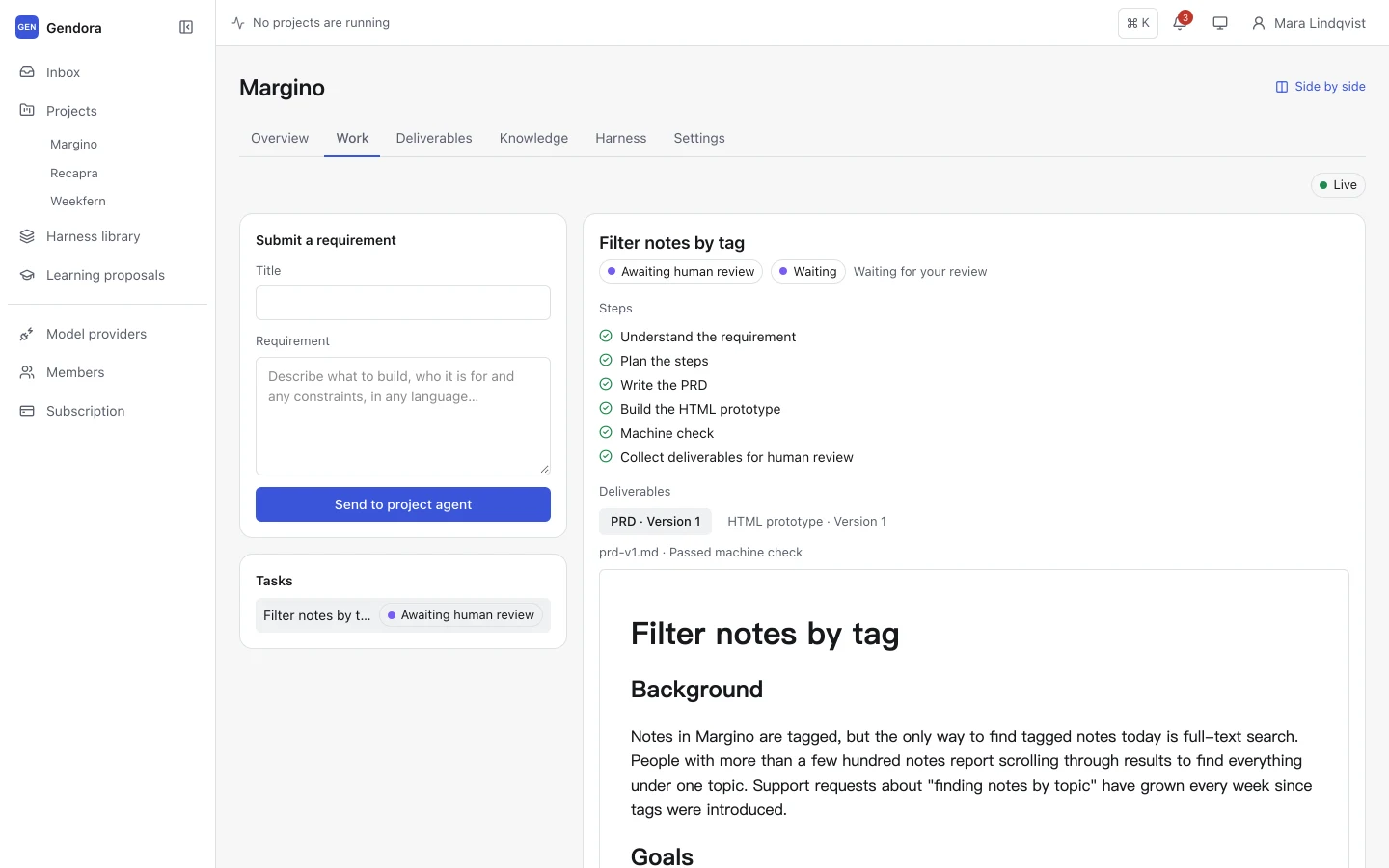
Every project gets its own agent with its own knowledge and deliverables. Submit a requirement and it understands the request, plans the steps and produces the work, reporting each step as it happens.
When it needs context, the agent can search the project’s knowledge and read project files. It writes in the language of your requirement, whatever language your interface is in.
Runs are durable: they survive restarts and can be paused, resumed or cancelled at any time.
- Structured PRDs and clickable HTML prototypes with the default Harness
- Live step list and event feed for every run
- Project knowledge the agent can search during a run
- Revises automatically when machine checks fail, and from your review comments
Harness and learning
Harness and a learning loop you control
A Harness packages everything the agent follows: roles, workflow steps, rules, skills and templates. Start from one of four built-in Harnesses, extend it for your organization, and fine-tune it per project.
Each run uses a snapshot of the Harness taken when it starts, so editing rules never changes work that is already in progress.
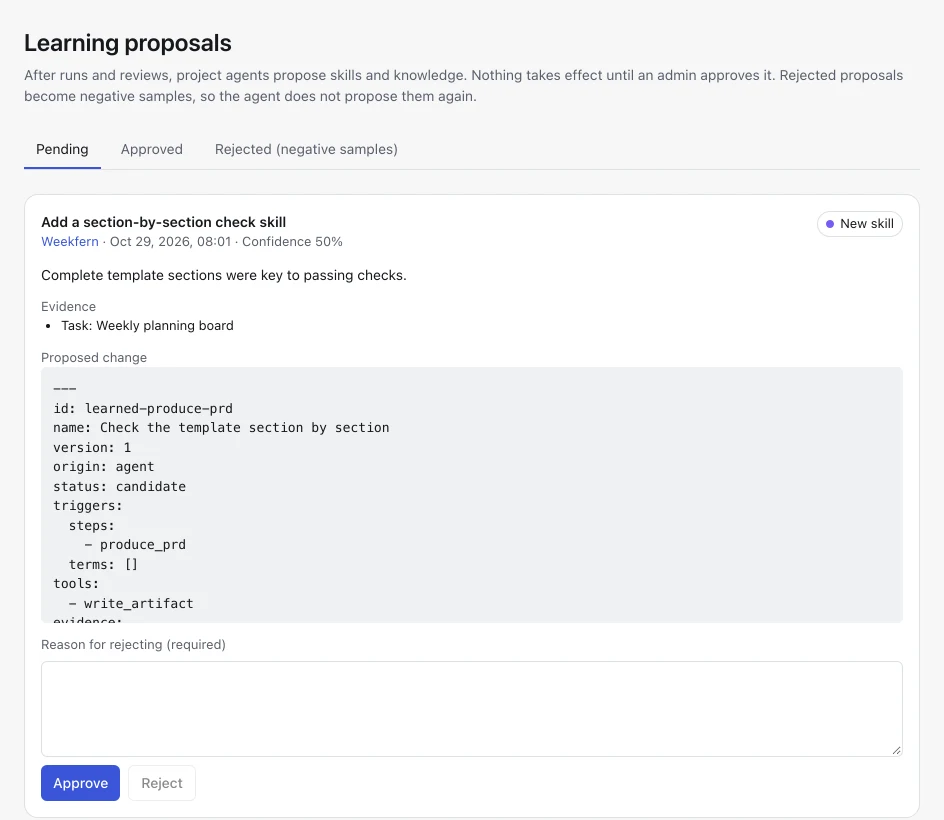
After runs and reviews the agent proposes improvements, such as a piece of project knowledge or a new skill, with the evidence behind it. Nothing takes effect until an admin approves it, and rejected proposals become negative samples so they are not proposed again.
- Built-in Harnesses: product requirements, implementation delivery, game delivery, research & knowledge
- Three layers: built-in, organization and project
- File-by-file Harness editor for your organization
- Learning proposals inbox with Pending, Approved and Rejected tabs
Bring your own models
Use the models you already pay for
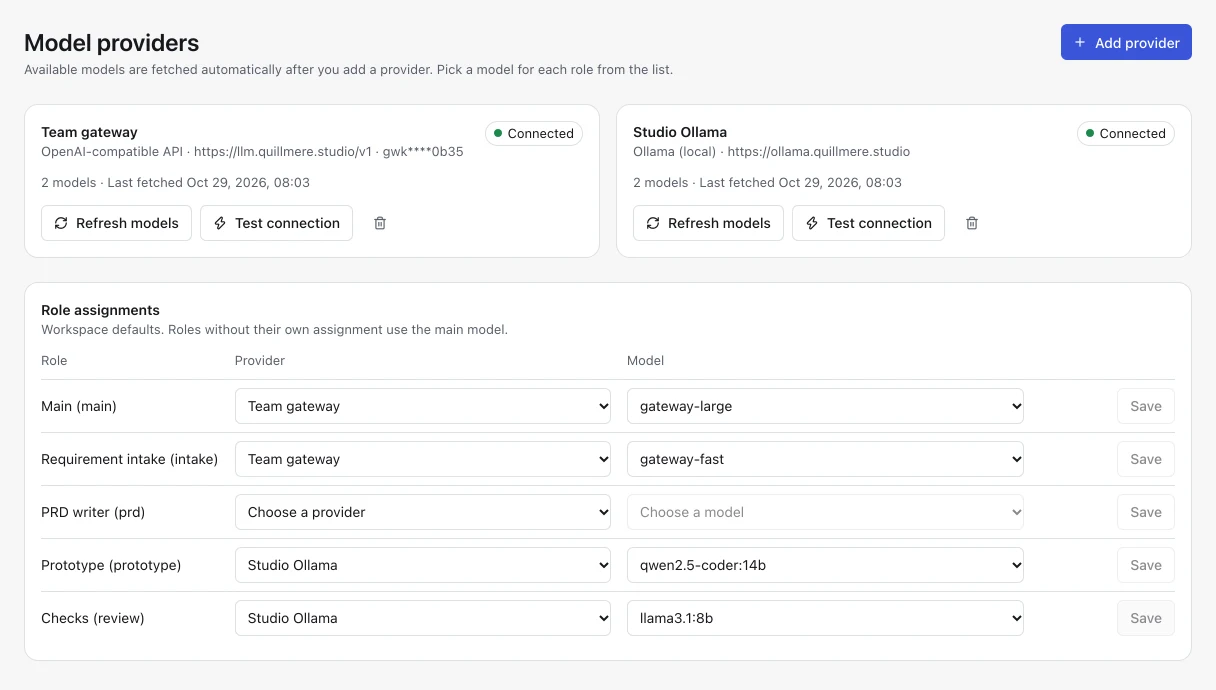
Connect OpenAI, Anthropic, any OpenAI-compatible endpoint or an Ollama server. Gendora fetches the list of available models, so you pick from a list instead of typing names.
Assign a model to each role: main, requirement intake, PRD writer, prototype, implementation and checks. Roles without their own model use the main model.
- Usage is billed by your provider, under your own account
- API keys are encrypted at rest and only shown masked
- Connection test and model refresh for every provider
- On the hosted service, endpoints must be reachable over the internet; private network addresses are blocked
Review and traceability
Human review with a complete record
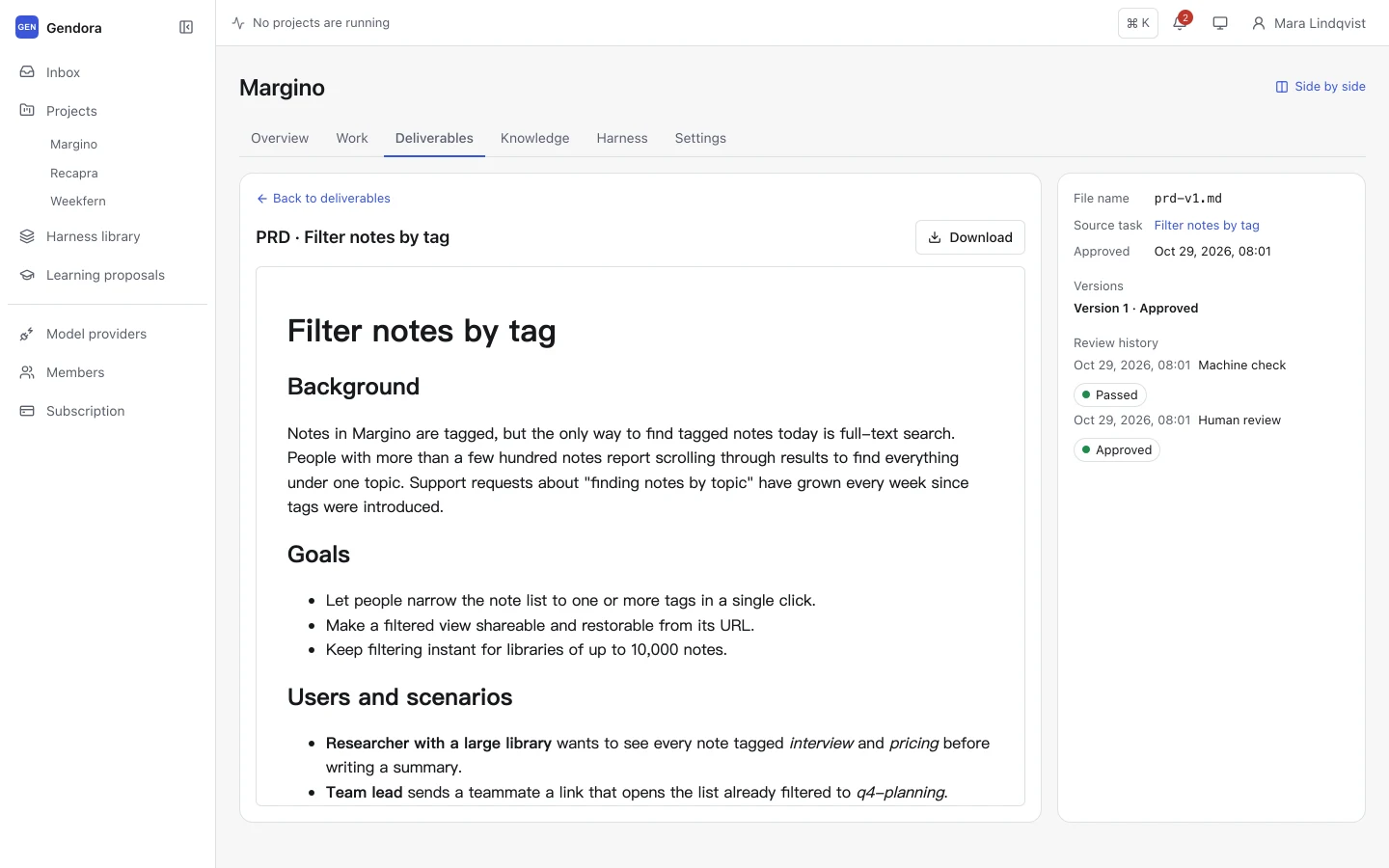
Machine checks decide whether work is ready for review, never whether it is done. Every deliverable waits for a person, who approves it or requests changes with a comment.
Approved deliverables land in the deliverable library, organised by approval date, with every version, the source task, the check results and the review history.
- Approve or request changes; a comment is required to request changes
- Version history for every deliverable
- Sandboxed preview for prototypes, plus download
- Deliverable library per project
Security
Secure by default
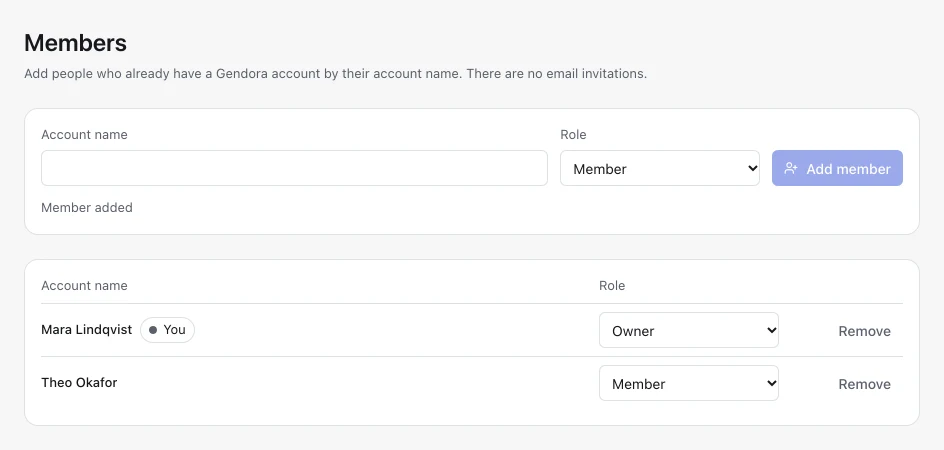
Every workspace is isolated: queries are always scoped to your organization, and people outside it cannot tell whether your projects exist. Members have owner, admin or member roles, and only owners can change ownership.
Provider keys are encrypted with AES-256-GCM. Prototypes run in a sandbox with no access to your session, and logs never record prompts, model responses or deliverable content.
- Owner, admin and member roles with an audit log for membership changes
- HttpOnly session cookies and rate-limited sign-in
- Passwords hashed with Argon2id
- HTTPS everywhere
Screenshots show a sample workspace.
Give your next project an agent that follows your rules
Sign up with any account name and a password, connect a model provider and submit your first requirement in a few minutes.
Free during Beta · No credit card required